

Whether you’re looking to buy a laptop for someone special or searching for the perfect device for yourself, we’re here to guide you through some of the best laptops for seniors currently available. As we age, tasks that we once found easy—like typing, lifting, or navigating the latest tech—can become a little more challenging. Therefore, the right laptop should not only cater to your needs but also eliminate unnecessary hassles.
When selecting a laptop for seniors, key factors include lightweight design, user-friendly interfaces, high-quality webcams for video calls, and screens optimized for reducing eye strain. It’s also wise to opt for reputable brands that offer durable builds; after all, who wants to deal with repairs or hassle while managing their tech? To simplify your search, we’ve curated a selection of laptops across various price points. Here’s what you need to know.
Products at a Glance
- MSI Prestige 14 AI Evo – Best AI-Powered Laptop
- Apple MacBook Air M4 – Best Overall Laptop for Seniors
- HP 255 G10 – Best Budget Laptop for Seniors
- Lenovo IdeaPad Flex 5 – Best 2-in-1 Laptop for Seniors
How We Picked
Our recommendations are based on crucial specifications such as display size, ease of use, weight, battery performance, and real-world performance assessed through rigorous in-house testing. Each laptop has been meticulously analyzed to suit the unique needs of senior users. If you are keen to explore more budget-friendly alternatives, don’t miss our recommendations for the best laptops under $300.
Best AI-Powered Laptop for Seniors
01
Reasons to Buy
- 14-inch IPS LED 1080p screen
- Strong security features with Windows Hello
- Lightweight and portable design
- AI-powered features with Copilot for intuitive use
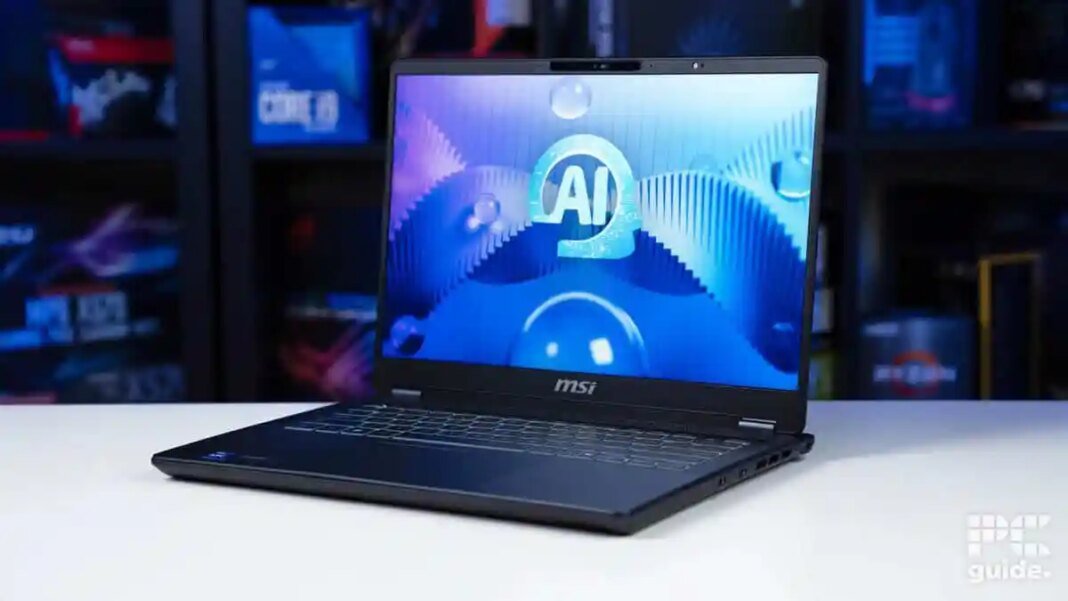
If you’re looking for an advanced laptop that incorporates AI, the MSI Prestige 14 AI Evo is an ideal choice. It features an Intel Core Ultra 5 125H processor, perfect for light work and casual browsing. The 14-inch IPS LED screen boasts a 1920×1200 resolution for smooth visuals, complemented by a 144Hz refresh rate.
Weighing less than 2kg, it’s effortlessly portable, and its Windows Hello security feature allows for easy access via facial recognition or fingerprints. Additional highlights include a backlit keyboard, a 1080p webcam, and a 1TB SSD for ample storage—all designed to make your computing experience seamless.
Best Laptop for Seniors Overall
02

Specifications
- CPU: Apple M4 chip
- Display: Liquid Retina
- RAM: 16GB
- Storage: 256GB or 512GB
- Resolution: 2560 x 1664
- Screen Size: 13.6-inch
Reasons to Buy
- Powerful M4 processor
- 18-hour battery life
- Lightweight and compact design
Reasons to Avoid
- Higher price point
- 13-inch display may feel small for some
The Apple MacBook Air M4 is another top contender that leverages the power of the M4 processor, making it suitable for all age groups. For seniors already familiar with Apple’s ecosystem, the seamless integration across Apple devices eases any potential learning curve.
Featuring an 18-hour battery life, this laptop ensures you won’t be frequently searching for a plug. The Light Retina display not only offers vibrant visuals but is also gentle on the eyes, making it an excellent choice for both work and leisure. Additionally, the lightweight design means you won’t have to struggle to carry it around.
Best Budget Laptop for Seniors
03

Specifications
- CPU: Ryzen 3 7330U
- Networking: WiFi 6
- RAM: 16GB
- Storage: 1TB SSD
- Screen Size: 15.6 in
- Resolution: 1920×1080
Reasons to Buy
- Balanced performance
- Large 15.6″ display
- Lasts up to 12 hours on a charge
The HP 255 G10 is a fantastic budget-friendly option that provides all the essentials without breaking the bank. Powered by the Ryzen 3 7330U processor, it efficiently handles everyday tasks, along with decent battery life.
This laptop features a generous 15.6-inch full HD display, making reading and content consumption comfortable. Its WiFi 6 capability ensures reliable connectivity, and although it lacks an Ethernet port, it compensates with strong wireless performance.
Best 2-in-1 Laptop for Seniors
04

Specifications
- CPU: Ryzen 7 7730U
- RAM: 16GB LPDDR4
- Storage: 512GB SSD
- Resolution: 1920 x 1200
- Screen Size: 16″
- Networking: WiFi 6
Reasons to Buy
- Versatile design as a laptop and tablet
- Decent battery life with quick charging
- Lightweight and portable
The Lenovo IdeaPad Flex 5 stands out as a versatile 2-in-1 option, allowing users to seamlessly switch between laptop and tablet modes. With a spacious 16-inch display and a powerful Ryzen 7 processor, it’s equipped to handle various tasks effortlessly.
This laptop also boasts a fingerprint reader for quick access and features a backlit keyboard that makes it easy to use in low-light environments. Its impressive performance combined with high-end connectivity options like USB-C make it a well-rounded choice for seniors seeking a functional and stylish device.
How to Pick the Best Laptop for Seniors
With so many options available, it can be overwhelming to choose the right laptop. Here’s a quick guide to help you look for key features that matter:
Display Size
The choice of display size is crucial. Laptops typically range from 13 inches to 17 inches. For portability, anything between 13 to 15.6 inches is optimal, while larger displays are better for viewing content but may be heavier.
Accessibility
Look for user-friendly features like fingerprint scanners that enhance access and security. This is particularly beneficial for those who may struggle with password management.
Weight
A lightweight laptop is easier to carry and handle. Generally, models weighing around 3 pounds are ideal for seniors who might find heavier laptops cumbersome.
Battery Life
A laptop with a longer battery life is invaluable for seniors who may not want to be tethered to power outlets. Aim for at least 8 hours of battery life for daily use without interruptions.
Webcam Quality
For those interested in video calls, having a decent webcam is a must. While 720p is standard, a higher resolution (1080p) will offer a clearer picture and a better experience.
FAQs
Is a desktop or a laptop better for seniors?
Laptops offer portability, allowing seniors the flexibility to work from anywhere, while desktops usually provide more power and larger screens, better for fixed use. The choice largely depends on the individual’s lifestyle and preferences.
Which panel type is easier on the eyes?
IPS panels are optimal, providing better color accuracy and viewing angles, making them easier on the eyes. Consider looking for models with an anti-glare coating as well, to minimize strain.
Final Word
Our top choice for 2025 is the MSI Prestige 14 AI Evo due to its robust features and portability, closely followed by the Apple MacBook Air M4 for its impressive performance. Both options cater well to the needs of seniors, seamlessly blending usability with high-quality performance.