

Designing with Seniors in Mind: 10 Essential Tips
As the global population ages, it becomes increasingly important to create products that cater to the elderly demographic. With projections estimating that by 2050, seniors will comprise around 20% of the global population, understanding how to design specifically for their needs is crucial. Here are ten insightful strategies to ensure that products are not only user-friendly but also enhance the quality of life for senior citizens.
1. Simple Design
Simplicity is key when it comes to senior-centric products. Overly complex features can lead to confusion and frustration. Straightforward interfaces, using easily readable fonts and intuitively crafted features, help minimize cognitive strain. Clear, concise instructions should accompany products, ensuring that seniors can comfortably understand and navigate them.
Example
Consider devices with minimal buttons or touchscreen interfaces that emphasize essential functions. This can help reduce the chances of accidental misuse.
2. Health Monitoring
With many seniors managing chronic conditions, integrating health-monitoring features into everyday devices can offer peace of mind. Wearable technology and connected devices allow for the tracking of vital signs like heart rate or blood pressure, aiding in managing health without the need for constant doctor visits.
Example
Devices like smartwatches track health metrics and send alerts to caregivers or family members if there’s an anomaly in readings, allowing for timely interventions when necessary.
3. Ergonomic Design
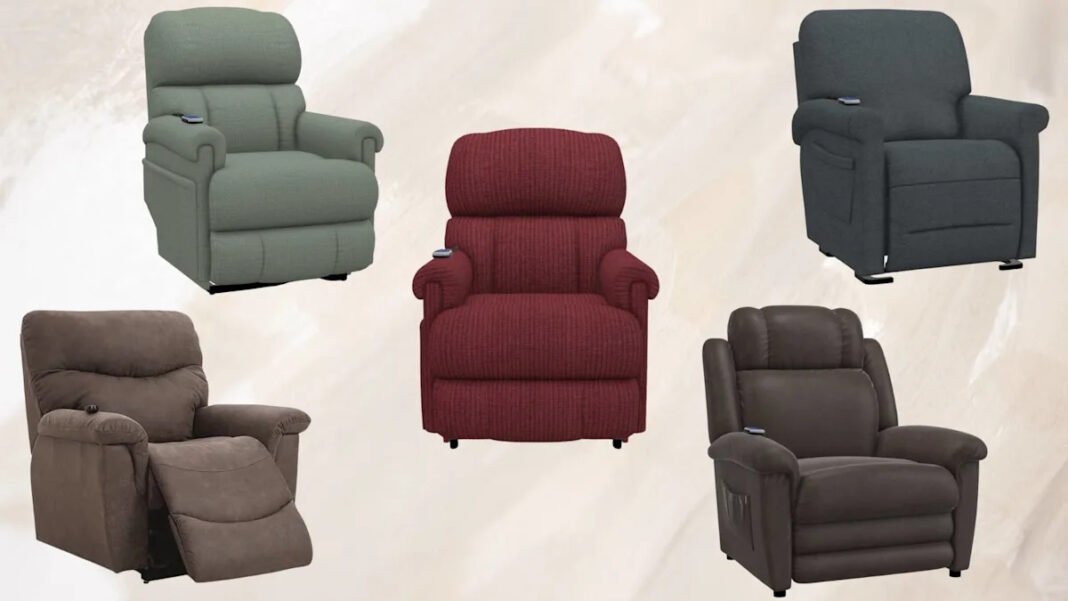
Ergonomics should be a primary focus in product design aimed at seniors. As physical strength often diminishes with age, ensuring that chairs, tools, and handheld devices support healthy posture and reduce strain is vital. High-backed chairs with good lumbar support, for example, promote comfort while seating.
Example
Choosing materials and shapes that instinctively fit the user’s grip or natural movements can make all the difference, enhancing ease of use.
4. Extended Battery Life
For devices that require batteries, prioritizing long battery life or easy recharging options can be especially beneficial. Frequent recharging can be a burden, particularly for seniors who might face mobility or memory challenges.
Example
Consider products with energy-efficient designs or that use solar power, allowing them to maintain function without the need for constant recharging.
5. Added Safety Features
Safety is paramount, and integrating features such as non-slip surfaces, automatic shut-off mechanisms, and easily accessible emergency buttons can significantly enhance product safety. These thoughtful additions can prevent accidents and ensure that seniors feel secure while using their products.
Example
Home appliances or tools with safety locks can prevent misuse, while robust construction helps avoid injuries from falls or mishaps.
6. Durable Materials
Seniors may drop or mishandle products more often than other demographics; therefore, utilizing robust materials that withstand wear and tear, as well as accidental drops, is essential. Products built from high-quality materials can ensure longevity and sustained function, catering specifically to the needs of older adults.
Example
Selecting reinforced plastics or metals for mobility aids, like walkers or rolling chairs, guarantees that they remain usable even through everyday bumps and scrapes.
7. Enhance Comfort of Usage
Comfort should never be overlooked. Paying attention to cushioning, weight distribution, and grip ensures that products are not just functional but also pleasant to use. This can improve the overall user experience, promoting regular use and enjoyment.
Example
Incorporating soft-touch grips on handheld tools or providing extra padding on seating can make a significant difference in comfort for seniors.
8. Integration of Assistive Technology
Assistive technology can dramatically enhance usability for older adults. Features such as voice activation, oversized buttons, or touchscreen interfaces with high contrast can make navigating devices easier, especially considering potential declines in vision or dexterity.
Example
Smart home devices that respond to voice commands allow seniors to control their environment with minimal physical effort.
9. Inclusive Design
Inclusive design goes beyond just catering to seniors; it considers individuals with varying abilities. Ensuring that products are functional for those with disabilities leads to greater accessibility and usability for all age groups.
Example
Designing walkable aids that integrate storage for small pets not only serves mobility needs but also combats social isolation by allowing seniors to take their companions along.
10. User Feedback
Involving seniors in the design process through surveys or user testing can provide invaluable insights. Collecting feedback helps in identifying areas for improvement and ensures that products genuinely meet the needs of their intended users.
Example
Regularly hosting focus groups with seniors to test prototypes can lead to innovative changes that improve functionality and comfort.
By applying these principles, designers can create empowering products that enrich the lives of senior citizens, supporting their independence and enhancing their day-to-day experiences.